# Practical Stimulus: Building a Counter Component
*Published on August 23, 2023*
Tags: Hotwire
---
This is the third article in the [Practical Stimulus](/tag/hotwire) series, where we're learning various practical use-cases of [Stimulus.js](https://stimulus.hotwired.dev/) that you'd typically use either plain JavaScript or a single-page application framework like React or Vue.
In this post, we'll build a simple "counter" component to demonstrate **the basics of state management, event listening, and DOM targeting**, which are bread and butter tasks of front-end web development and the absolute core features of all JavaScript frameworks.
> If instead of Stimulus, you'd like to learn how to progressively build a counter using Turbo Drive, Turbo Frames and Turbo Streams, check out the following post: [Progressive Application Development with Hotwire](/progressive-application-development-with-hotwire)
##
Start with HTML
Instead of JavaScript, HTML takes the center stage in Stimulus, by representing the state, classes, targets, and event handlers.
```html
10
```
We'll learn what each attribute means later. To keep it clean, I've skipped the CSS classes on the HTML.
## Make it Dynamic with a Controller
Create a Stimulus controller named `counter_controller.js`.
💡 If you're using Rails, just run the `rails generate stimulus counter` command which will create one for you.
```javascript
// counter_controller.js
import { Controller } from "@hotwired/stimulus"
export default class extends Controller {
static values = { count: Number }
static targets = [ "count" ]
increment() {
this.countValue++
this.countTarget.textContent = this.countValue
}
}
```
That's it, we're done. The counter should be working as expected. Click on the button and watch the number getting incremented.
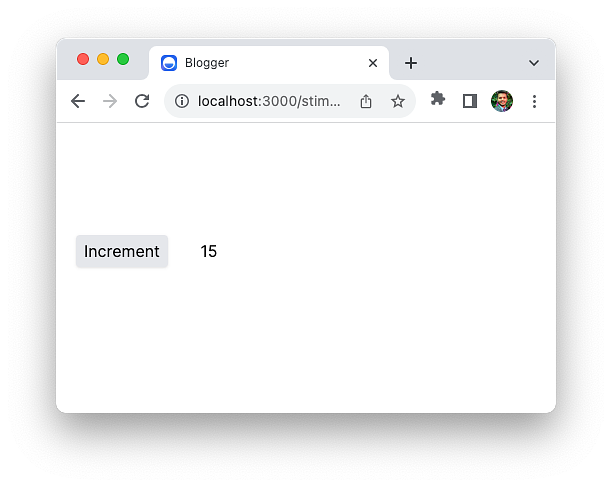
Let's walk through what's happening here.
## Declaring Data
Use the `data-{controller}-{name}-value` attribute to add state.
```html
```
Here, we connect our `
` to the `counter_controller.js` controller. We also define the initial count value to 10. You can access this data in the Stimulus controller using [Stimulus Values](https://stimulus.hotwired.dev/reference/values).
```javascript
export default class extends Controller {
static values = { count: Number }
connect() {
console.log(this.countValue) // 10
}
}
```
So that's how you manage state, by declaring it in the HTML markup and connecting it to the values on the controllers.
## Listening For Events
Use the `data-action` attribute to listen for any event on an element.
```html
```
The attribute value follows the `event->controller#action` format. In this case, we want to listen for a `click` event on this button, and then call the `increment` method on the `counter` controller. So, we'll use `click->counter#increment`.
As you'd imagine, you can listen for other events. For example, listening for a `mouseenter` event would look like this: `mouseenter->counter#update`. To learn more, check out [Stimulus Actions](https://stimulus.hotwired.dev/reference/actions).
When a `click` event happens, Stimulus will call the associated controller method,. In this case, it's the `increment` method on counter controller. As you can see, we have direct access to the `countValue` property declared above.
```javascript
increment() {
this.countValue++
}
```
On the action attribute, you'll often see `click` is skipped as Stimulus infers it by default. For clarity, I prefer to leave it there.
## Reacting to Changes
Use the `data-{controller}-target` attribute to mark the target of interest.
```html
```
Here, we want to update the contents of this div, so we mark it with data target attribute.
You can access this div element in the controller using [Stimulus Targets](https://stimulus.hotwired.dev/reference/targets):
```javascript
export default class extends Controller {
static values = { count: Number }
static targets = [ "count" ]
connect() {
console.log(this.countTarget)
}
}
```
The only thing remaining is to update the contents of this target when the user clicks the button.
```javascript
increment() {
this.countValue++
this.countTarget.textContent = this.countValue
}
```
And that's how you can build a simple counter component in Stimulus.
Although the resulting HTML might look intimidating, after working with Stimulus for almost two years I've come to realize that **it results in a highly readable, and as a result, maintainable code**. Reading the HTML practically tells you what's going on with a set of conventions and you rarely have to refer to the underlying JavaScript to understand the component.