How to List and Filter Routes in Ruby on Rails
July 18, 2024
This post is part of my handbook on the Rails Router.
You can list all the routes in your Rails application by running the bin/rails routes command in the terminal.
$ bin/rails routes
              Prefix  Verb   URI Pattern                    Controller#Action
              sidekiq        /sidekiq(.:format)             Sidekiq::Web
        sidekiq_admin        /admin                         Sidekiq::Admin
    new_user_session  GET    /users/sign_in(.:format)       devise/sessions#new
        user_session  POST   /users/sign_in(.:format)       devise/sessions#create
destroy_user_session  DELETE /users/sign_out(.:format)      devise/sessions#destroy
    new_user_password GET    /users/password/new(.:format)  devise/passwords#new
The output shows a table with four columns:
Prefix: Name of the routeVerb: HTTP Method such as GET, POST, etc.URI Pattern: URL pattern to matchController#Action: Names of the controller class and action method
Filtering Routes
To filter the routes, you can use the grep option, by passing the -g flag. The following commands filters all the routes containing the term songs.
$ bin/rails routes -g songs
Prefix Verb URI Pattern               Controller#Action
 songs GET  /songs(/:genre)(.:format) songs#index {:genre=>"rock"}
View in a Browser
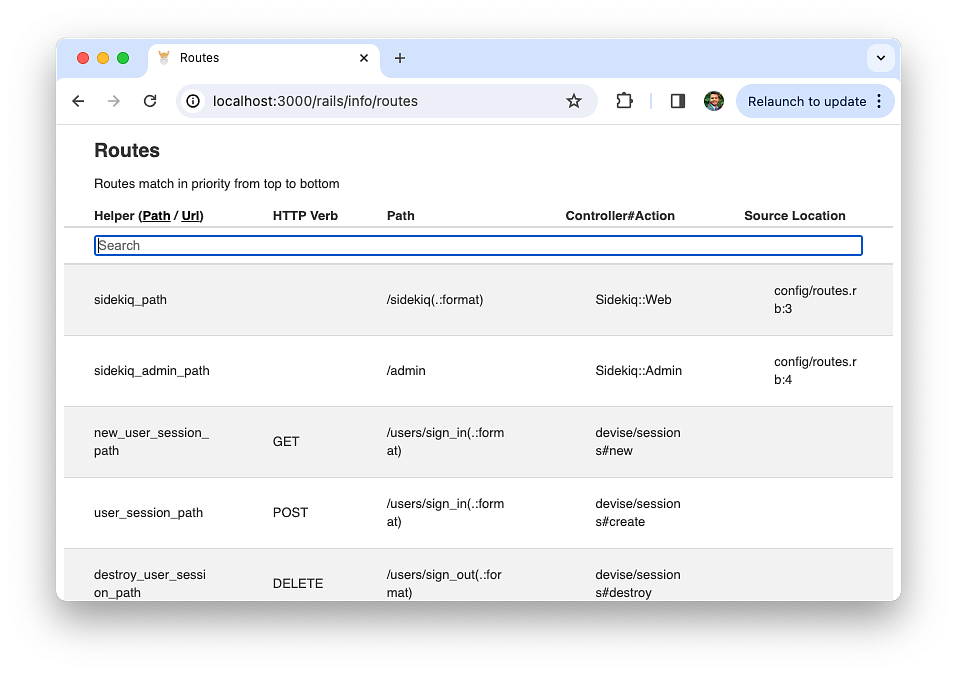
Alternatively, you could also find all the routes by visiting the /rails/info/routes path on a running Rails application.